
Resource
Zebra FX9600 Enterprise RFID Setup: LLRP, MQTT & SAP
[Solved] Fix Zebra FX9600 LLRP configuration lockouts & read-only errors. Step-by-step troubleshooting, GPIO light stack setup, and .NET middleware integration.
-
Advanced / Enterprise
Complexity
-
Zebra FX9600 4-Port & 8-Port
Supported Reader
-
LLRP (Port 5084), MQTT, REST
Interface Protocols
-
Up to 8 Monostatic Antennas
Antennas Supported
1. Industrial Network & Antenna Configuration
Configure static IP addressing on the FX9600's Gigabit Ethernet port. When connecting circular polarized antennas (e.g., AN440 or AN480), balance antenna ports across dock door left and right jambs. Calibrate power output between 27 dBm and 31.5 dBm depending on tag packaging materials (cardboard, plastic, or metal).
2. LLRP Socket Connection & RO_SPEC Parameters
Establish a TCP connection to reader Port 5084. Push an ADD_ROSPEC message defining the tag inventory parameters: use Session 2 (S2) with Inventoried Flag A for high-volume pallet dock doors to suppress repeat reads of stationary tags while ensuring 100% read capture of moving pallets.
3. Configuring Industrial GPIO Alarms and Stack Lights
The FX9600 features 4 optically isolated inputs and 4 outputs. Wire Output 1 to a green indicator lamp (Valid ASN / Goods Received) and Output 2 to a red strobe buzzer (Unknown tag / Security exception). Trigger these relays programmatically through our middleware based on ERP validation.
4. Bridging Tag Scans to SAP S/4HANA and Business One
Raw EPC strings must be converted into business context. Our pre-built Zebra RFID Middleware translates EPC hex codes into Material Master IDs and Batch Numbers, posting automated Goods Receipts (Movement Type 101) directly to SAP with zero human manual intervention. Learn more about our turnkey rfid software solutions for enterprise dock portals.
Interactive RFID Engineering Tools & Calculators
Use our free interactive calculators and simulators to model RF physics, calculate link budgets, estimate ROI, and configure EPC tags.
RFID Link Budget Calculator
Calculate reader EIRP (+36 dBm WPC), antenna gain (dBi), path loss, and receiver sensitivity threshold (-86 dBm).
Antenna Coverage & Beamwidth Calculator
Model 3dB azimuth/elevation beam footprints and coverage radii for warehouse dock doors and conveyor gates.
RFID Portal Velocity Calculator
Estimate tag dwell times, maximum conveyor transit speeds (m/s), and read rates under dense tag environments.
Need a custom zebra fx9600 enterprise rfid setup: llrp, mqtt & sap deployment?
Every environment has distinct RF absorption and ERP sync constraints. Let's review your exact workflow and design an end-to-end blueprint.
Live Hardware & API Playground
Test Live RFID-to-ERP Payload Generation in Your Browser
Select an ERP system below, test simulated tag scan streams, or type custom SKU parameters to generate verified XML/JSON payloads in real time.
Zebra FX9600 Enterprise RFID Setup: LLRP, MQTT & SAP — Live Interactive Simulator
Client-Side Live Hardware Scan & ERP Protocol Generator
Loading simulator...Tally Prime Stock Journal
Auto-generated by OpenRFID Gateway
Frequently asked questions
How do you configure the Zebra FX9600 LLRP service on Port 5084 for C# or Java clients?
192.168.0.100), navigate to Communication > LLRP Interface, enable TCP Port 5084, set Client Connection Mode, and disable proprietary reader modes to ensure clean standard EPCglobal LLRP frame negotiation.What MQTT payload format does the FX9600 emit when configured for cloud broker streaming?
rfid/zebra/fx9600/reads.How do you connect the FX9600 GPIO terminal block to a conveyor photo-eye and diverter arm?
Discover more
You may also like
Hand-picked articles and pages worth your time next.
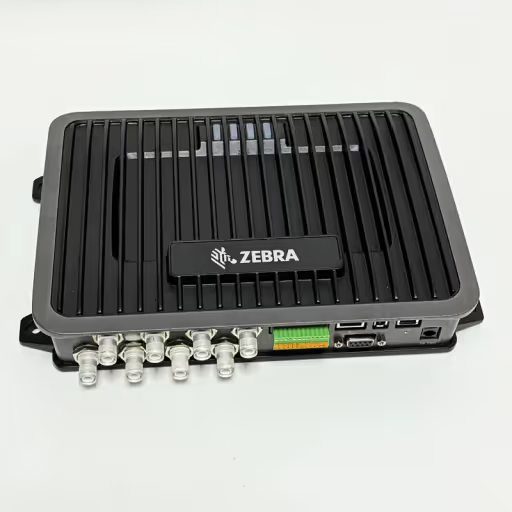
Zebra FX9600 Fixed Reader
Zebra FX9600 Fixed Reader
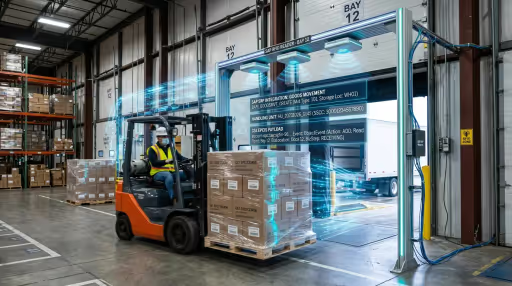
SAP RFID Middleware Connector
SAP RFID Middleware Connector
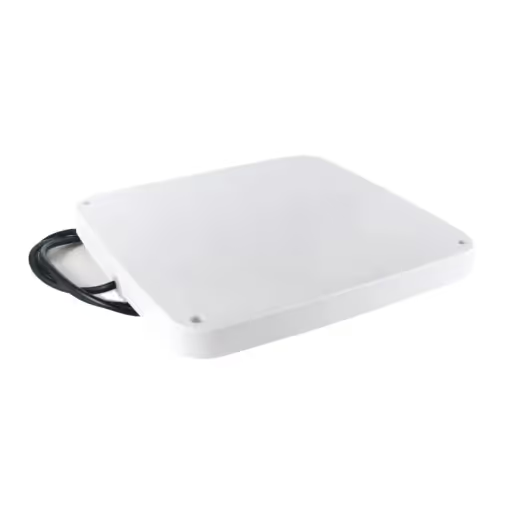
Fixed Reader Antennas
Fixed Reader Antennas

Zebra FX9600 RFID SDK & LLRP Middleware Integration
Connect Zebra FX9600 and FX7500 readers via C# .NET SDK and LLRP middleware. 1,500 tags/sec streaming, RSSI ghost filtering and direct SAP/Tally ERP sync.