
Resource
Integrate Chainway C72 RFID Reader with Android & Tally
Engineering guide to connecting Chainway C72 UHF handheld readers to Android apps and automating stock journal synchronization with Tally Prime ERP.
-
Intermediate (Java/Kotlin)
Complexity
-
1 - 2 Days
Implementation Time
-
Chainway UHF JNI, Tally XML HTTP
Protocols
-
Chainway C72, C71, C66
Hardware Tested
1. Importing the Chainway UHF SDK into Android Studio
Add the manufacturer AAR library to your app/libs directory. Declare required hardware permissions in your AndroidManifest.xml (BLUETOOTH, ACCESS_FINE_LOCATION, and INTERNET). Initialize the power controller interface to wake up the UHF reader module upon activity launch, ensuring proper battery optimization settings.
2. Production Threading & Tag De-duplication Architecture
During physical cycle counts, the C72 reads up to 750 tags per second. To prevent memory pressure and ANR crashes, implement a concurrent sliding window map. Key the map by EPC string with an expiration timestamp. Only new tags or tags unseen for over 1,500ms are pushed to the UI and business sync pipeline.
3. Formatting and Transmitting Tally Prime Stock Journals
Tally Prime natively accepts XML requests over its built-in HTTP server. When the operator completes a scan session, the middleware compiles an <ENVELOPE> containing Inventory Vouchers or Physical Stock adjustments. The payload is transmitted via OkHttp with automated retry logic if Tally is temporarily busy.
4. Production Shortcut: Pre-Built Turnkey Middleware
If your team needs immediate deployment without writing low-level Android JNI code or managing Tally XML schema quirks, our pre-built Chainway C72 Android Middleware APK is pre-tested and ready for production deployment with custom logo branding.
Interactive RFID Engineering Tools & Calculators
Use our free interactive calculators and simulators to model RF physics, calculate link budgets, estimate ROI, and configure EPC tags.
RFID Read Range Calculator
Simulate maximum open-air vs indoor racking read distances (6m to 25m) based on tag sensitivity and reader power.
Cycle Count & Inventory Calculator
Quantify daily stocktaking labor hours saved by replacing 1D/2D manual scanning with 1,300+ tags/sec UHF sweeps.
RFID Reader Comparison Matrix
Side-by-side spec shootout comparing fixed multi-port readers, Android mobile guns, and modular RFID sleds.
Need a custom integrate chainway c72 rfid reader with android & tally deployment?
Every environment has distinct RF absorption and ERP sync constraints. Let's review your exact workflow and design an end-to-end blueprint.
Live Hardware & API Playground
Test Live RFID-to-ERP Payload Generation in Your Browser
Select an ERP system below, test simulated tag scan streams, or type custom SKU parameters to generate verified XML/JSON payloads in real time.
Integrate Chainway C72 RFID Reader with Android & Tally — Live Interactive Simulator
Client-Side Live Hardware Scan & ERP Protocol Generator
Loading simulator...Tally Prime Stock Journal
Auto-generated by OpenRFID Gateway
Frequently asked questions
What UART baud rate and port does the Chainway C72 UHF reader use?
How do I push scanned RFID tags from the C72 directly into TallyPrime?
How do I capture the C72 pistol grip button in an Android Background Service?
Does Tally Prime require any paid plugins to work with this integration?
Can the C72 read barcode and RFID simultaneously?
What is the recommended RF power setting on the Chainway C72 for retail stock audits vs warehouse pallet scanning?
Discover more
You may also like
Hand-picked articles and pages worth your time next.

Chainway C72 Handheld Reader
Chainway C72 Handheld Reader
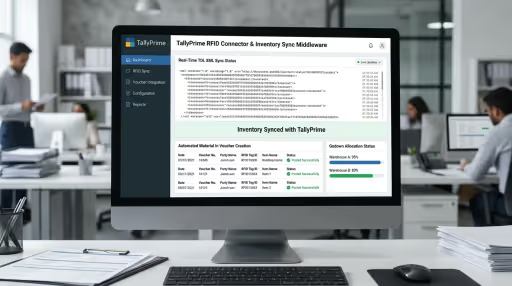
Tally Prime RFID Connector
Tally Prime RFID Connector

RFID Stock Management Middleware
RFID Stock Management Middleware
 View
View
Chainway C72 RFID Handheld Middleware: Android & Tally Sync
Deploy custom Android middleware for Chainway C72 and C71 UHF RFID handhelds. Real-time tag de-duplication, RSSI Geiger-counter locate mode, and automated Tally Prime, SAP, and REST API sync.