Hardware Developer Blueprint

Seuic AutoID UHF & ScanKey SDK Integration Guide

Architect enterprise Android warehouse applications for Seuic AutoID9U, AutoID UF3, and Cruise 1-HC mobile terminals. Master raw AIDL pistol grip trigger interception via scankey.jar, avoid EPC corruption with correct byte-offset addressing in uhf.jar, calibrate RF transmit power, and implement non-blocking inventory loops.

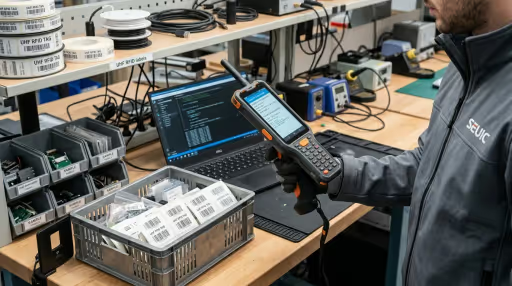
SEUIC AutoID SDK Guide for RFID integration
Core Libraries uhf.jar & scankey.jar
Trigger Keycode KeyCode 142 (Gun)
RF Power Range 5 dBm – 33 dBm
Addressing Mode Byte Offset (Addr 4)

1 Seuic Architecture: Dual-JAR System & IPC Daemon

Unlike consumer Android devices where peripheral input relies on standard keyboard events or Bluetooth HID, Jiangsu Seuic AutoID industrial terminals separate RFID reader communications and physical key event capture into two lightweight, decoupled libraries:

uhf.jar (7.8 KB)

Hardware UHF Module Driver

Provides the high-level UHFService singleton interface for opening the serial bus, calibrating power (5–33 dBm), triggering tag inventories, and reading/writing Gen2 memory banks.

scankey.jar (1.9 KB)

ScanKey IPC Trigger Interceptor

Provides the ScanKeyService AIDL IPC wrapper. Intercepts physical gun trigger presses (KeyCode 142) and side buttons (248–250) without requiring an active EditText UI focus.

By communicating directly with the internal Seuic hardware daemon across Android IPC, your application achieves sub-10ms trigger responsiveness while retaining full control over RF antenna emissions.

! Crucial Pitfall: Byte-Offset Addressing in EPC Memory

The #1 Developer Bug on Seuic AutoID Handhelds

In standard GS1 EPC Gen2 specifications, memory bank addresses are indexed in 16-bit WORDs (Word 0 = Stored CRC, Word 1 = Stored PC, Word 2 = Start of EPC Payload). Most other SDKs (Zebra, Chainway, Impinj) expect word offsets.

// Standard EPC Gen2 Layout (Bank 1)
Word 0 (Bytes 0-1) : Stored CRC-16
Word 1 (Bytes 2-3) : Protocol Control (PC) Word [Length & UMI bits]
Word 2 (Bytes 4-5) : Start of EPC Identifier Payload

The Quirk: On Seuic's uhf.jar, the addr parameter in readTagData() and writeTagData() behaves as a BYTE OFFSET, not a word offset!

  • Incorrect (Corrupts PC Word): Passing addr = 2 writes over Bytes 2 and 3 (the PC word), permanently scrambling tag length and rendering the tag unreadable.
  • Correct (Target EPC Data): Pass addr = 4 (Bytes 4 onward) with length in bytes (e.g. 12 bytes for 96-bit EPCs, or 16 bytes for 128-bit EPCs).

2 Gradle Setup & Dependencies

Place uhf.jar and scankey.jar into your app's app/libs/ directory. Configure your module build.gradle.kts:

// app/build.gradle.kts
android {
    compileSdk = 34

    defaultConfig {
        minSdk = 19
        targetSdk = 34
    }
}

dependencies {
    // Include Seuic UHF Service and ScanKey IPC Trigger libraries
    implementation(fileTree(mapOf("dir" to "libs", "include" to listOf("*.jar"))))
    
    // Kotlin Coroutines for safe background serial execution
    implementation("org.jetbrains.kotlinx:kotlinx-coroutines-android:1.8.0")
}

3 Pistol Trigger Interception via ScanKeyService

To capture physical pistol grip trigger pulls on Seuic AutoID9U terminals without fighting soft keyboard focus, use ScanKeyService. Register the trigger keycode 142 in onResume() and release it in onPause():

// ScanKeyTriggerManager.kt
package com.rfidsoftwares.seuic

import android.os.RemoteException
import android.util.Log
import com.seuic.scankey.IKeyEventCallback
import com.seuic.scankey.ScanKeyService

class ScanKeyTriggerManager(
    private val onTriggerDown: () -> Unit,
    private val onTriggerUp: () -> Unit
) {
    private var scanKeyService: ScanKeyService? = null
    private var keyCallback: IKeyEventCallback? = null

    companion object {
        private const val TAG = "SeuicScanKey"
        // KeyCodes: 142 = Gun Trigger, 248/249/250 = Side physical scan buttons
        const val SEUIC_TRIGGER_KEYCODES = "142,248,249,250"
    }

    fun register() {
        try {
            scanKeyService = ScanKeyService.getInstance()
            keyCallback = object : IKeyEventCallback.Stub() {
                @Throws(RemoteException::class)
                override fun onKeyDown(keyCode: Int) {
                    Log.d(TAG, "Hardware Key Down: $keyCode")
                    if (keyCode == 142 || keyCode in 248..250) {
                        onTriggerDown()
                    }
                }

                @Throws(RemoteException::class)
                override fun onKeyUp(keyCode: Int) {
                    Log.d(TAG, "Hardware Key Up: $keyCode")
                    if (keyCode == 142 || keyCode in 248..250) {
                        onTriggerUp()
                    }
                }
            }
            scanKeyService?.registerCallback(keyCallback, SEUIC_TRIGGER_KEYCODES)
            Log.i(TAG, "Successfully bound Seuic trigger callbacks")
        } catch (t: Throwable) {
            Log.w(TAG, "ScanKeyService unavailable (running on emulator or non-Seuic device)", t)
            scanKeyService = null
        }
    }

    fun unregister() {
        try {
            if (scanKeyService != null && keyCallback != null) {
                scanKeyService?.unregisterCallback(keyCallback)
            }
        } catch (t: Throwable) {
            Log.w(TAG, "Failed to unregister ScanKey callback", t)
        } finally {
            keyCallback = null
            scanKeyService = null
        }
    }
}

4 Production UHF Service Driver with Byte-Offset Logic

Here is the complete asynchronous driver managing the UHFService lifecycle, power tuning (5–33 dBm), tag inventory polling, and safe byte-offset EPC reads/writes:

// SeuicUhfDriver.kt
package com.rfidsoftwares.seuic

import android.content.Context
import android.util.Log
import com.seuic.uhf.EPC
import com.seuic.uhf.UHFService
import kotlinx.coroutines.Dispatchers
import kotlinx.coroutines.withContext

data class TagRecord(
    val epc: String,
    val rssi: Int,
    val length: Int,
    val timestampMs: Long = System.currentTimeMillis()
)

class SeuicUhfDriver(private val context: Context) {
    private var service: UHFService? = null
    private var isOpened = false

    companion object {
        private const val TAG = "SeuicUhfDriver"
        const val EPC_BANK = 1
        const val TID_BANK = 2
        const val USER_BANK = 3
        const val RESERVED_BANK = 0

        // Crucial: In uhf.jar, offset is in BYTES. CRC (2) + PC (2) = 4 bytes offset
        const val EPC_DATA_START_BYTE_OFFSET = 4
    }

    suspend fun open(powerDbm: Int = 30): Boolean = withContext(Dispatchers.IO) {
        try {
            if (service == null) {
                service = UHFService.getInstance(context.applicationContext)
            }
            val s = service ?: return@withContext false
            val success = s.open()
            if (success) {
                // Calibrate transmission power (5 to 33 dBm)
                s.setPower(powerDbm.coerceIn(5, 33))
                isOpened = true
                Log.i(TAG, "UHFService opened at $powerDbm dBm")
                true
            } else {
                Log.e(TAG, "UHFService.open() returned false")
                false
            }
        } catch (t: Throwable) {
            Log.e(TAG, "Hardware open exception", t)
            false
        }
    }

    suspend fun scanSingleTag(timeoutMs: Int = 800): TagRecord? = withContext(Dispatchers.IO) {
        val s = service ?: return@withContext null
        if (!isOpened) return@withContext null

        val epcObj = EPC()
        if (s.inventoryOnce(epcObj, timeoutMs)) {
            val rawEpc = epcObj.getId()
            if (!rawEpc.isNullOrBlank()) {
                return@withContext TagRecord(
                    epc = rawEpc.trim().replace(" ", "").uppercase(),
                    rssi = epcObj.rssi,
                    length = epcObj.len
                )
            }
        }
        null
    }

    suspend fun readEpcPayload(
        targetEpcHex: String,
        byteCount: Int = 12,
        accessPasswordHex: String = "00000000"
    ): ByteArray? = withContext(Dispatchers.IO) {
        val s = service ?: return@withContext null
        val epcBytes = hexToBytes(targetEpcHex) ?: return@withContext null
        val pwdBytes = hexToBytes(accessPasswordHex) ?: ByteArray(4)
        val readBuffer = ByteArray(byteCount)

        // Read starting at BYTE offset 4 to skip CRC and PC words
        val ok = s.readTagData(
            epcBytes,
            pwdBytes,
            EPC_BANK,
            EPC_DATA_START_BYTE_OFFSET,
            byteCount,
            readBuffer
        )
        if (ok) readBuffer else null
    }

    suspend fun writeEpcPayload(
        targetEpcHex: String,
        newPayloadBytes: ByteArray,
        accessPasswordHex: String = "00000000"
    ): Boolean = withContext(Dispatchers.IO) {
        val s = service ?: return@withContext false
        val epcBytes = hexToBytes(targetEpcHex) ?: return@withContext false
        val pwdBytes = hexToBytes(accessPasswordHex) ?: ByteArray(4)

        // Write starting at BYTE offset 4 to preserve existing PC word
        s.writeTagData(
            epcBytes,
            pwdBytes,
            EPC_BANK,
            EPC_DATA_START_BYTE_OFFSET,
            newPayloadBytes.size,
            newPayloadBytes
        )
    }

    fun close() {
        try {
            service?.close()
        } catch (ignored: Throwable) {
        } finally {
            isOpened = false
            service = null
        }
    }

    private fun hexToBytes(hex: String): ByteArray? {
        val clean = hex.replace(" ", "").trim()
        if (clean.length % 2 != 0) return null
        return ByteArray(clean.length / 2) { i ->
            clean.substring(i * 2, i * 2 + 2).toInt(16).toByte()
        }
    }
}

5 Seuic Troubleshooting & Common Pitfalls Matrix

Symptom / Error Root Cause Resolution
Tags unreadable after EPC write Word-offset 2 was used instead of byte-offset 4, overwriting Protocol Control word with invalid length. Set addr = 4 in writeTagData(). Use a tag un-bricking recovery tool to restore standard PC (e.g. 0x3000 for 96-bit EPC).
Gun trigger stops responding after navigation ScanKeyService callback was registered multiple times without calling unregisterCallback() in onPause(). Maintain a single IKeyEventCallback.Stub() and unregister in onPause() or onStop().
App UI freezes (ANR) on activity launch UHFService.open() was invoked directly on the Android main UI thread during activity creation. Wrap reader open, power calibration, and close calls inside Dispatchers.IO or an executor worker thread.
Barcode scanner fails while UHF app runs Seuic hardware serial port contention between ScanTool daemon and UHF transceiver driver. Set ScanTool wedge mode to Broadcast and call UHFService.close() whenever barcode scanning is requested.
Excessive battery drain during idle Continuous inventory loop left running in background service without checking screen lock status. Register a BroadcastReceiver for ACTION_SCREEN_OFF to automatically call UHFService.close().

6 Verified Seuic SDK Downloads & SHA-256 Checksums

All binaries are extracted from verified production firmware and cryptographically signed with SHA-256 checksums:

ZIP BUNDLE

seuic-autoid-uhf-bundle.zip

9.8 KB

Includes uhf.jar, scankey.jar, Kotlin activity sample, and README manual.

SHA-256: 1A2181D58E7DB44A89D6BC44CB2D536DFBCAB8075B0F3F53B5ABB1A2BCDA7C19

Download Bundle
JAR

uhf.jar

7.8 KB

Core hardware UHF RFID reader service driver with antenna power controls.

Download JAR
JAR

scankey.jar

1.9 KB

Pistol grip trigger (KeyCode 142) and scan key AIDL event broker.

Download JAR

Supported Seuic Terminals

  • Seuic AutoID9U High-power Android enterprise mobile terminal with ergonomic pistol grip.
  • Seuic AutoID UF3 Fixed/sled multi-antenna industrial reader with 33 dBm output.
  • Seuic Cruise 1-HC / Cruise2 Healthcare and retail slim touch computer with snap-on UHF pistol grip.
  • Seuic AutoID Pad Rugged enterprise tablet with integrated UHF RFID transceiver module.

Need Turnkey Seuic Integration?

We design custom enterprise Android warehouse middleware connecting Seuic AutoID terminals directly to SAP ERP, Oracle NetSuite, TallyPrime, and Zoho Inventory.

Consult an RFID Architect

Frequently Asked Questions: Seuic AutoID SDK

Technical answers covering memory addressing, trigger event registration, and hardware conflicts.

Why does writing EPC data corrupt the PC word on Seuic AutoID devices?
Unlike standard Gen2 UHF implementations where memory bank addresses are indexed in 16-bit words, Seuic uhf.jar expects the addr parameter in readTagData() and writeTagData() to be a BYTE offset. The EPC memory bank begins with a 2-byte CRC and a 2-byte Protocol Control (PC) word. Therefore, EPC payload data starts at byte offset 4 (not word 2). Writing to address 2 overwrites the PC word, corrupting tag length attributes.
How do you intercept pistol grip trigger presses using scankey.jar on Seuic terminals?
Seuic terminals route hardware key events through a background AIDL IPC daemon. Rather than overriding Activity.onKeyDown(), get the ScanKeyService singleton via ScanKeyService.getInstance() and call registerCallback(callback, "142,248,249,250") where 142 is the gun trigger keycode and 248-250 represent side scan buttons. Implement IKeyEventCallback.Stub() to receive onKeyDown and onKeyUp events without losing input focus.
How do you avoid Android UI freeze or ANR when calling UHFService.open()?
UHFService.open() initiates a synchronous UART serial handshake with the internal RFID transceiver, which can block the calling thread for 500ms to 1200ms during hardware cold boot. Always invoke open() and setPower() inside a dedicated background thread or Kotlin Coroutine (Dispatchers.IO) before starting inventory operations.
Why does the Seuic barcode scanner stop working when the UHF RFID app is running?
Seuic devices feature integrated hardware resource management between the 2D imager (ScanTool) and the UHF RFID reader module. If the default ScanTool keyboard wedge application is set to continuous broadcast, it can conflict with raw UART port access. Ensure the barcode wedge output is set to "Broadcast" or disabled while the UHF application claims exclusive serial communication via UHFService.open().
What is the maximum RF output power supported on Seuic AutoID9U and AutoID UF3?
Seuic AutoID9U and UF3 support software-configurable RF transmission power from 5 dBm up to 33 dBm in 1 dBm increments using service.setPower(powerDbm). For high-speed warehouse pallet inventory and dock door scanning, 30 dBm to 33 dBm is recommended. For tag commissioning or desktop encoding, dial down to 15 dBm to 18 dBm to avoid stray tag cross-reads.
Where can I download the official Seuic uhf.jar and scankey.jar library files?
We provide verified direct downloads for both uhf.jar (7.8 KB), scankey.jar (1.9 KB), and the complete seuic-autoid-uhf-bundle.zip (9.8 KB) containing sample Kotlin activities and documentation in our Developer SDK catalog.